How to File ITR for Freelancers in India (Step-by-Step 2026)
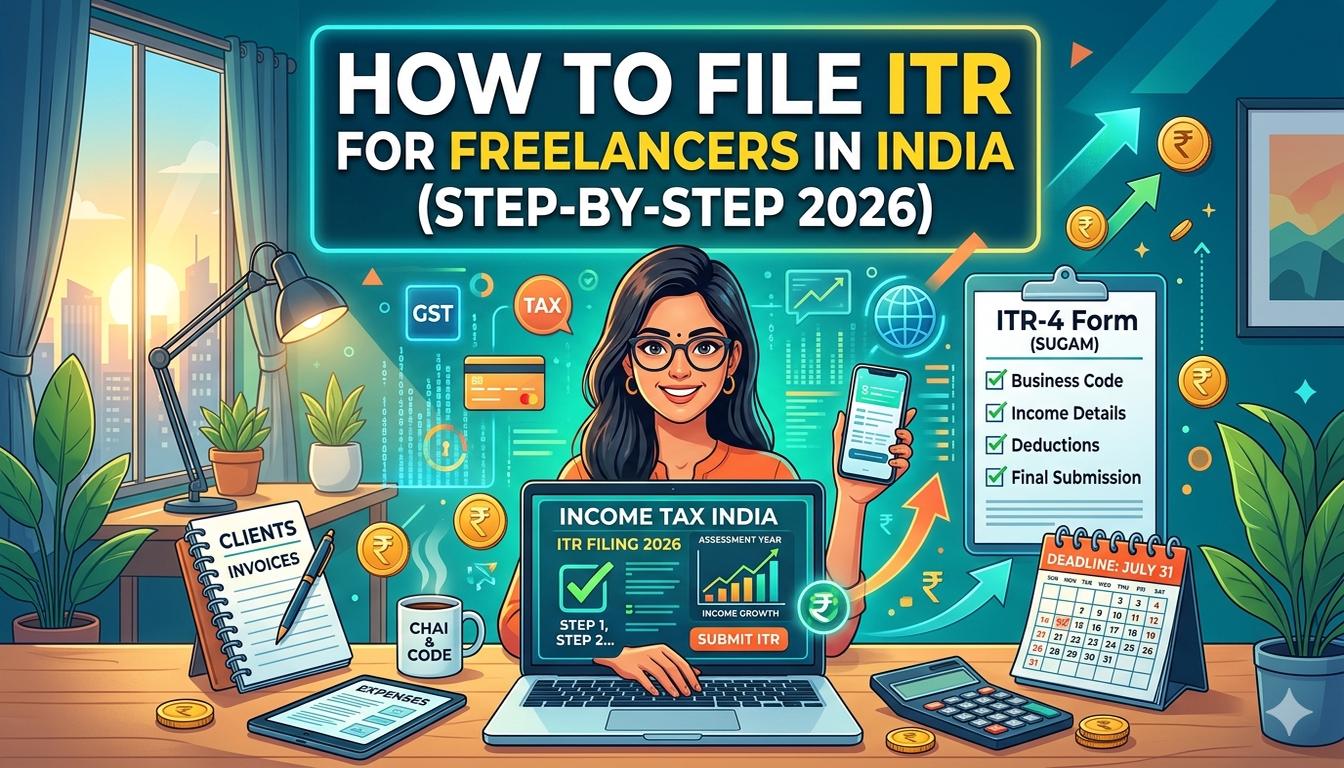
Quick Answer: Most freelancers in India should file ITR-4 (Sugam) if they opt for the presumptive taxation scheme under Section 44ADA (income up to Rs 75 lakh) — you only need to declare 50% of gross receipts as taxable income. If your income exceeds Rs 75 lakh or you want to claim actual expenses, file ITR-3. The process is done online at the Income Tax portal (incometax.gov.in): register or log in, fill the correct form, verify your Form 26AS and AIS, enter income and deductions, and submit. The deadline for FY 2025-26 (AY 2026-27) is July 31, 2026. FreelanceBook's free Section 44ADA calculator and ITR summary report pre-calculate your tax liability so you simply copy the numbers into the portal.
How to File ITR for Freelancers in India (Step-by-Step 2026)
The ITR filing deadline is July 31, 2026. You open the Income Tax portal, see 7 different ITR forms, terms like "Section 44ADA," "Form 26AS," and "audit report" — and immediately close the tab.
That CA you hired last year charged Rs 5,000 for something you can do yourself in 45 minutes. This time, do it yourself.
If you earned money from freelancing during FY 2025-26 (April 2025 to March 2026), filing an Income Tax Return (ITR) is mandatory — even if your net tax is zero.
Under Section 139(1) of the Income Tax Act, every person whose gross total income exceeds the basic exemption limit (Rs 3,00,000 under the new tax regime) must file a return. Missing the July 31 deadline attracts a penalty of up to Rs 5,000 under Section 234F.
According to the CBDT (Central Board of Direct Taxes), India had over 8 crore ITR filings for AY 2025-26, and a growing number are from freelancers and gig workers.
The government actively tracks income through TDS returns, bank interest reports, and Form 26AS — so not filing is not an option. The sooner you understand the process, the faster you get your refund and stay compliant.
This guide covers everything — from choosing the right ITR form to clicking the final "Submit" button — in plain language that any freelancer can follow, even if you have never filed a return before.
Which ITR Form Should Freelancers File? (ITR-3 vs ITR-4)
This is the first and most important decision. Choosing the wrong form means your return gets rejected, and you have to start over.
ITR-4 (Sugam): Best for Most Freelancers
ITR-4 (Sugam) is designed for taxpayers who opt for the presumptive taxation scheme under Section 44ADA or Section 44AD. Under this scheme, you do not need to maintain detailed books of accounts or get an audit done (if your income is within the prescribed limit).
Freelancers eligible for ITR-4:
- Your gross receipts from the profession are up to Rs 75 lakh (increased from Rs 50 lakh in Budget 2024)
- You are willing to declare 50% of gross receipts as your taxable profit
- You want to avoid maintaining detailed books of accounts
- Your business income is from a profession specified under Section 44ADA (consulting, IT, legal, medical, engineering, architecture, accountancy, technical consultancy, interior design, or any other notified profession)
Key Benefit: Under Section 44ADA, you only pay tax on 50% of your income. If you earned Rs 10 lakh from freelancing, your taxable income is Rs 5 lakh — not Rs 10 lakh. The remaining 50% is deemed as your expense, and you do not need to prove it with receipts.
ITR-3: When You Need Detailed Accounting
ITR-3 is for individuals and HUFs who have income from a business or profession but do NOT opt for presumptive taxation. Choose ITR-3 if:
- Your gross receipts exceed Rs 75 lakh
- You want to claim actual expenses instead of the 50% deemed profit
- You have income from multiple sources (capital gains, house property, foreign income)
- You have brought forward losses or want to set off business losses
- Your profession is not covered under Section 44ADA
Common Mistake: Some freelancers choose ITR-3 because they think it is "better." Unless you genuinely need to claim actual expenses above 50% of your income, ITR-4 is simpler, faster, and equally valid. If your actual expenses are less than 50% of income (which is true for most freelancers), ITR-4 saves you both time and money.
Quick Comparison: ITR-3 vs ITR-4 for Freelancers
| Feature | ITR-4 (Sugam) | ITR-3 |
|---|---|---|
| Best for | Freelancers under Section 44ADA | Freelancers with income above Rs 75 lakh |
| Tax calculation | 50% of gross receipts deemed as profit | Actual income minus actual expenses |
| Audit required? | No (if income up to Rs 75 lakh) | Yes, if income exceeds basic exemption limit and profit is below deemed profit |
| Books of accounts | Not required | Required |
| Expense proof | Not needed | Bills and receipts needed for every deduction |
| Complexity | Simple | Detailed |
| Time to file | 30-45 minutes | 2-3 hours (plus documentation) |
Pro Tip: Not sure which form is right for you? Check our detailed comparison of ITR-3 vs ITR-4 for freelancers. It covers real-life examples (like Priya the content writer and Vikram the web developer) that show exactly which form saves more tax in different scenarios.
Step-by-Step Guide: How to File ITR on the Income Tax Portal
Here is the exact process for filing your ITR online. It works for both ITR-3 and ITR-4.
Step 1: Register or Log In to the Income Tax Portal
- Go to https://www.incometax.gov.in
- Click on "Login" at the top right
- Enter your PAN (10-digit alphanumeric number) as your User ID
- Enter your password and solve the captcha
- If this is your first time, you need to register using your PAN, Aadhaar, bank details, and mobile number
Important: Your PAN must be linked to your Aadhaar to file ITR. If not linked, the portal will reject your return. You can link them at uidai.gov.in or through the Income Tax portal.
Step 2: Verify Your Form 26AS and AIS
Before filling any income details, verify that your tax records match. Two documents are critical:
- Form 26AS: A consolidated tax statement showing all TDS deducted by your clients, TDS deposited with the government, advance tax paid by you, and self-assessment tax paid. Find it on the Income Tax portal under Services then View Form 26AS
- AIS (Annual Information Statement): A detailed statement showing all financial transactions reported by banks, mutual funds, companies, and other institutions — including interest income, dividends, and TDS. Find it under Services then Annual Information Statement
Common Mistake: Many freelancers file without checking Form 26AS first. If a client deducted Rs 10,000 as TDS but did not deposit it, the amount will not show in Form 26AS.
You would end up claiming a TDS credit that does not exist — and the Income Tax department will send a notice. Always verify before filing.
Step 3: Start a New ITR Filing
- After logging in, go to e-File then Income Tax Returns then File Income Tax Return
- Select the Assessment Year: Choose AY 2026-27 (for income earned during FY 2025-26)
- Select your Filing Type: Usually "Original" (for first-time filing for the year) or "Revised" (if correcting a mistake in an already filed return)
- Select your ITR Form: Choose ITR-4 (Sugam) if under Section 44ADA, or ITR-3 otherwise
- The portal will ask a series of questions to confirm the form is correct (about your income sources, employer status, etc.)
Step 4: Fill in Your Personal Details
Enter your basic information:
- Name, PAN, date of birth (auto-populated from registration)
- Address and contact details
- Bank account details (for refund — the account must be linked to your PAN)
- Employer category: Select "Others" (freelancers are self-employed, not salaried)
Tip: Make sure your bank account is pre-validated on the portal. The Income Tax department sends refunds only to pre-validated accounts. If you are expecting a refund, verify this before submitting.
Step 5: Enter Your Income from Freelancing
This is the most important section. For ITR-4 under Section 44ADA:
- Navigate to "Business and Profession" (BP section)
- Select "Profession" (not "Business")
- Enter your gross receipts from freelancing during FY 2025-26 (total amount invoiced to all clients, before expenses)
- The system auto-calculates 50% as deemed profit under Section 44ADA
- Enter any presumptive income from other eligible sources if applicable
For ITR-3, you need to provide:
- Total income from profession
- Actual expenses claimed (internet, software, equipment depreciation, travel, office rent, professional subscriptions)
- Net profit after expenses
- Partnership firm details (if applicable)
Pro Tip: If you use FreelanceBook, the ITR summary report gives you a pre-calculated breakdown of your gross receipts, estimated taxable income under Section 44ADA, and all deductions — ready to copy directly into the portal. No manual calculation needed.
Step 6: Enter Other Income Sources
Freelancers often have income from multiple sources. Report each one in the correct section:
- Salary income: If you also work a full-time job alongside freelancing
- House property income: If you own a rented property
- Capital gains: If you sold stocks, mutual funds, or crypto during the year
- Other sources: Bank interest (savings account, fixed deposits), dividends, family pension
- Exempt income: PPF interest, NPS withdrawal, certain scholarships
Did You Know? Even income that appears in your AIS must be reported, even if exempt from tax. The Income Tax department cross-references your return with AIS data.
If something shows in AIS but not in your return, expect a notice. Report everything, then classify it correctly.
Step 7: Claim Deductions Under Chapter VI-A
This is where you reduce your taxable income. Deductions available to freelancers:
- Section 80C: Up to Rs 1,50,000 (PPF, ELSS, life insurance, 5-year FD, NPS Tier 1, tuition fees for children)
- Section 80CCD(1B): Additional Rs 50,000 for NPS (above Rs 1.5 lakh in 80C)
- Section 80D: Health insurance premium — Rs 25,000 (self/family) or Rs 50,000 (senior citizens)
- Section 80E: Interest on education loan
- Section 80G: Donations to approved charitable institutions
- Section 80GG: Rent paid if you do not receive HRA (up to Rs 60,000 per year)
- Section 80GGA: Donations for scientific research or rural development
Important: Most deductions under Section 80C through 80U are available only in the Old Tax Regime. Under the New Tax Regime (default from FY 2023-24), only a few deductions remain: employer's NPS contribution (80CCD(2)), Section 80JJAA (new employee deduction), and Section 80D (health insurance). Choose your regime carefully.
Step 8: Pay Self-Assessment Tax (If Needed)
After filling all income and deductions, the portal calculates your total tax liability. If you have already paid enough through TDS and advance tax, you are done. If there is a remaining balance, you must pay self-assessment tax under Section 140A.
- Go to e-Pay Tax on the Income Tax portal
- Select "Self Assessment Tax (100)" under Tax Type
- Enter your PAN, assessment year (2026-27), and the amount
- Pay via net banking, debit card, or UPI
- After payment, the tax credit reflects in your Form 26AS within a few hours
Warning: Do NOT submit your return before paying self-assessment tax. The portal checks if your total tax paid matches your liability. If there is a shortfall, submission will fail.
Step 9: Preview, Verify, and Submit
- Click on "Preview Return" to see a summary of all the data you entered
- Verify every section:
- Gross receipts match your invoices
- TDS claimed matches Form 26AS
- All income sources from AIS are reported
- Deductions are correctly entered
- Bank account is pre-validated
- If everything is correct, click "Proceed to Validation"
- The system runs checks and flags any errors
- Click "Submit"
- Choose your verification method:
- E-Verify online (instant — via Aadhaar OTP, net banking, or DigiLocker)
- Send signed ITR-V by post (takes longer — print, sign, and send to CPC Bangalore within 30 days)
Pro Tip: Always choose e-Verification. Posting ITR-V takes 2-3 months to process, and during that time, your return is not considered "valid." With e-Verification, the return is processed immediately and your refund (if any) is credited faster.
What Income Should Freelancers Report?
This is a common source of confusion. Let us clear it up.
All Freelance Income Is Taxable
Every rupee you earn from freelancing — whether from Indian clients or international clients — is taxable under "Profits and Gains from Business or Profession". This includes:
- Fees from content writing, web development, design, consulting, coaching, or any professional service
- Retainer payments from monthly contracts
- Project-based lump-sum payments
- Income in foreign currency (converted to INR at the rate on the date of receipt)
- Payments received through UPI, NEFT, bank transfer, PayPal, or Payoneer
- Barter or non-cash consideration (value of goods/services received instead of cash)
Pro Tip: For creating professional invoices with all required tax details, see our guide on how to create a GST invoice for freelancers. Proper invoicing makes income reporting much easier at filing time.
Important: Tax is calculated on an accrual basis (when the income is earned, not when it is received). So if you sent an invoice in March 2026 but the client paid in April 2026, the income still belongs to FY 2025-26 because the service was provided in that year.
Income That Must Be Reported But May Have Special Treatment
- Advance payments: Taxed in the year received if not adjusted against service delivery in the same year
- Retainers received upfront: Taxed when received, not when services are rendered
- Clients who pay in installments: Each installment is taxed in the year it is received
Common Mistake: Some freelancers report only the amount received in their bank account and ignore invoices raised but not yet paid. This is wrong. If you issued an invoice in FY 2025-26, the income belongs to that year — regardless of when the client actually pays. The only exception is if the client disputes the invoice or the payment is genuinely uncertain.
Presumptive Taxation Under Section 44ADA: How It Works
Section 44ADA is the single biggest tax advantage available to freelancers in India. Understanding it fully can save you hours of documentation and thousands in CA fees.
How Section 44ADA Works
Under Section 44ADA, eligible professionals can declare 50% of their gross receipts as taxable income, regardless of actual expenses. Here is a practical example:
Scenario: Arjun is a freelance software developer who earned Rs 12,00,000 from clients during FY 2025-26.
- Gross receipts: Rs 12,00,000
- Deemed profit (50%): Rs 6,00,000
- This is Arjun's taxable income from freelancing
- The other 50% (Rs 6,00,000) is automatically treated as expenses
- Arjun can claim deductions under Section 80C (Rs 1,50,000) and Section 80D (Rs 25,000) to reduce taxable income to Rs 4,25,000
Who Is Eligible for Section 44ADA?
The scheme is available to individuals, HUFs, and partnership firms (not LLPs) engaged in the following professions:
- Law, medicine, engineering, architecture, accountancy
- Technical consultancy, interior decoration
- Any other profession as notified by the government
- Freelancers in IT, content writing, design, digital marketing, consulting (covered under "any other profession" by CBDT clarification)
Income Limit for Section 44ADA
- Up to Rs 75 lakh gross receipts: No audit required, file ITR-4
- Above Rs 75 lakh: You must maintain books of accounts, get a tax audit under Section 44AB, and file ITR-3
Pro Tip: Even if your actual expenses are less than 50% of income (which is rare for freelancers), Section 44ADA still allows you to declare 50% as profit. This is a legal tax benefit — not a loophole. The government offers this scheme specifically to simplify compliance for small professionals.
When Should You NOT Use Section 44ADA?
Section 44ADA may not be ideal if:
- Your actual expenses exceed 50% of income (for example, if you have heavy equipment costs, office rent, or employee salaries). In that case, file ITR-3 and claim actual expenses to reduce taxable income further
- You have brought forward losses from previous years that you want to set off
- You want to claim depreciation on high-value assets separately
Did You Know? FreelanceBook's free Section 44ADA calculator does the math for you. Enter your gross receipts, select your deductions, and it shows your exact taxable income under both ITR-3 (actual expenses) and ITR-4 (presumptive) — so you know which option saves more tax. Visit freelancebook.in/tax-calculator to try it.
Deductions Every Freelancer Should Claim
Many freelancers leave money on the table by not claiming deductions they are eligible for. Here is a complete list.
Section 80C: Up to Rs 1,50,000
This is the most widely claimed deduction. You can invest in or spend on any of these to reduce your taxable income:
- PPF (Public Provident Fund): Rs 500 to Rs 1,50,000 per year (returns are tax-free)
- ELSS (Equity Linked Savings Scheme): Equity mutual funds with 3-year lock-in
- 5-Year Fixed Deposit: Tax-saving FD at any bank
- Life Insurance Premium: Premium paid for yourself, spouse, or children
- NPS Tier 1: Employee's contribution up to Rs 1.50 lakh under 80C
- Tuition Fees: School fees for up to 2 children (not college)
- Home Loan Principal: Repayment of principal on a home loan
Section 80D: Health Insurance Premium
- Self, spouse, and children: Up to Rs 25,000 per year
- Senior citizens (60+ years): Up to Rs 50,000
- Parents (below 60): Up to Rs 25,000 (additional)
- Parents (60+ years): Up to Rs 50,000 (additional)
- Preventive health checkup: Up to Rs 5,000 (within the above limits)
Section 80GG: Rent Paid (No HRA)
If you work from home and pay rent (but do not receive HRA from any employer):
- Maximum deduction: Rs 60,000 per year (Rs 5,000 per month)
- Conditions: You must not own a house in the city where you work, and you must not claim HRA anywhere
Section 80CCD(1B): Additional NPS Deduction
- Additional Rs 50,000 for NPS contribution (above the Rs 1.50 lakh under Section 80C)
- Total NPS benefit: Up to Rs 2,00,000 (Rs 1.5 lakh in 80C + Rs 50,000 in 80CCD(1B))
- Available in both old and new tax regimes
Other Useful Deductions
| Section | What You Can Claim | Maximum Amount |
|---|---|---|
| 80E | Interest on education loan for higher studies | No limit (deduction for up to 8 years) |
| 80G | Donations to approved charities/NGOs | 50% or 100% of donation (varies by institution) |
| 80GGA | Donations for scientific research/rural development | 100% of donation |
| 80JJAA | Deduction for hiring new employees | 30% of salary for 3 years (new regime only) |
Pro Tip: Deductions under Section 80C through 80U (except 80CCD(2), 80JJAA, and 80D) are available only in the Old Tax Regime. If you are claiming PPF, ELSS, or life insurance, you must opt for the old regime while filing ITR. The default regime is the new one — you must explicitly select "Old Tax Regime" on the portal.
How to Handle TDS in Your ITR Filing
If your clients deduct TDS under Section 194J (fees for professional or technical services), you must report it correctly in your ITR.
Step 1: Verify TDS in Form 26AS
Before filing, check your Form 26AS on the Income Tax portal. This form shows:
- Total TDS deducted by each client during the year
- TDS amount actually deposited by each client with the government
- Your PAN-wise TDS summary
If a client deducted TDS but did not deposit it, the amount will NOT appear in Form 26AS. You cannot claim credit for it — follow up with the client to ensure they deposit it.
Step 2: Match with Your AIS
Your AIS (Annual Information Statement) shows more detailed TDS information than Form 26AS. Cross-check both documents:
- Every TDS entry in Form 26AS should match your records
- If there is a discrepancy, contact the client who deducted the TDS
- The income tax portal auto-populates TDS data from these documents into your ITR form
Step 3: Enter TDS in Your ITR
In both ITR-3 and ITR-4:
- Navigate to the "Tax Paid" or "Schedule TDS" section
- Enter the TAN (Tax Deduction Account Number) of each client who deducted TDS
- Enter the amount of TDS deducted and deposited
- The system cross-verified with Form 26AS data
What If TDS Is More Than Your Total Tax?
This is common for freelancers. If your total tax liability is Rs 30,000 but clients deducted Rs 45,000 in TDS, you are entitled to a refund of Rs 15,000. The refund is credited to your bank account after your return is processed (typically 2-6 months).
Common Mistake: Some freelancers do not check Form 26AS before filing and claim more TDS than what has actually been deposited. If your return claims Rs 50,000 TDS but Form 26AS shows only Rs 35,000, the Income Tax department will adjust your return and you will get a notice. Always verify first.
Pro Tip: If you want to track your TDS throughout the year instead of discovering it at filing time, use FreelanceBook's TDS tracking dashboard. It shows every TDS deduction by every client, matches it against your Form 26AS, and alerts you if a client forgot to deposit your TDS. Read our full guide on TDS for freelancers under Section 194J.
Old Tax Regime vs New Tax Regime: Which Is Better for Freelancers?
From FY 2023-24 onwards, the New Tax Regime is the default. But freelancers can still opt for the Old Tax Regime if it benefits them. Here is how to decide.
New Tax Regime (Default)
- Lower tax rates: 0% up to Rs 3 lakh, 5% (3-7 lakh), 10% (7-10 lakh), 15% (10-12 lakh), 20% (12-15 lakh), 30% (above 15 lakh)
- Fewer deductions: Only Section 80CCD(2) (employer NPS), Section 80JJAA (new employees), and Section 80D (health insurance)
- Standard deduction: Rs 50,000 (for salaried, not applicable to freelancers directly)
- Best for: Freelancers who do not invest much in 80C instruments and want lower rates
Old Tax Regime (Opt-in Required)
- Higher tax rates: 0% up to Rs 2.5 lakh, 5% (2.5-5 lakh), 20% (5-10 lakh), 30% (above 10 lakh)
- All deductions available: Section 80C (Rs 1.5 lakh), 80D, 80E, 80G, 80GG, HRA, LTA, and more
- You must explicitly select this regime on the ITR portal
Which One Should Freelancers Choose?
| Scenario | Recommended Regime | Why |
|---|---|---|
| You invest in PPF, ELSS, or life insurance (80C) | Old Regime | Savings of Rs 50,000-78,000 in tax |
| You pay health insurance premium | Old Regime | 80D available in old regime (and new) |
| You pay rent but have no HRA | Old Regime | Section 80GG gives Rs 60,000 deduction |
| You have no investments or deductions | New Regime | Lower tax rates without any investment |
| Income under Rs 5 lakh | Either | Tax is zero or near-zero in both |
| Income above Rs 15 lakh with heavy investments | Old Regime | Savings can exceed Rs 1 lakh |
Pro Tip: Use FreelanceBook's free Tax Calculator to compare your tax liability under both regimes. Enter your income and planned investments — the calculator shows exact tax under old and new regime side by side. Choose the one where you pay less.
Common Mistakes Freelancers Make While Filing ITR
These mistakes are extremely common and can lead to notices, penalties, or lost refunds.
Mistake 1: Not Reporting All Income Sources
Every income — freelance fees, bank interest, dividends, cash gifts above Rs 50,000, even income from a side gig — must be reported. The Income Tax department receives data from banks, mutual funds, and companies through AIS. If you leave out an income source, a notice will follow.
Mistake 2: Wrong ITR Form
Filing ITR-2 (for salaried individuals) when you have freelance income will get your return rejected. Always use ITR-3 or ITR-4 if you have business or professional income.
Mistake 3: Claiming TDS Not Reflected in Form 26AS
If a client deducted TDS but did not deposit it, you cannot claim the credit. Verify every TDS entry against Form 26AS before filing. If a mismatch exists, contact the client first.
Mistake 4: Not Paying Advance Tax
If your total tax liability for the year exceeds Rs 10,000, you must pay advance tax in quarterly installments (June 15, September 15, December 15, March 15).
Not paying advance tax attracts interest under Section 234C at 1% per month on the shortfall. Also, failing to pay advance tax at all can trigger interest under Section 234B (1% per month on the amount that should have been paid). Check our advance tax guide for freelancers for the complete schedule.
Mistake 5: Not Verifying the Return
Filing the return is only half the job. You must e-Verify it within 30 days. An unverified return is treated as invalid — as if you never filed it. Use Aadhaar OTP, net banking, or DigiLocker to verify instantly.
Mistake 6: Ignoring AIS Discrepancies
If your AIS shows an income that you did not earn (common with bank errors or misclassified transactions), you must report it in your return and explain the discrepancy. Ignoring it leads to automated notices from the Income Tax department.
What Happens If You Miss the ITR Deadline?
Understanding the consequences helps you prioritize filing on time.
Penalty for Late Filing Under Section 234F
- Before December 31, 2026: Penalty of Rs 1,000 (if income below Rs 5 lakh) or Rs 5,000 (if income above Rs 5 lakh)
- After December 31, 2026 (but before March 31, 2027): You can still file a belated return with the same penalty
- After March 31, 2027: You lose the right to file for AY 2026-27 entirely
Interest Under Section 234A
If you file after the due date (July 31), you pay interest at 1% per month on the tax due from August 1 until the date you actually file.
This is separate from the penalty and applies on top of any other interest (under Section 234B for deferment of advance tax or Section 234C for shortfalls).
Loss of Benefits
Filing late means you cannot:
- Carry forward losses (business losses, capital losses) to future years
- Revise the return if you discover a mistake
- Get your refund processed quickly (late returns are processed with lower priority)
Actionable Advice: Mark July 31 on your calendar right now. Better yet, file in June — before the rush. The Income Tax portal tends to be slow and unresponsive in the last week of July due to high traffic. FreelanceBook sends advance reminders for ITR deadlines alongside GST return deadlines, so you never miss any compliance date.
How FreelanceBook Makes ITR Filing Easier
Filing ITR should not take 3 hours of spreadsheet calculations. Here is how FreelanceBook simplifies the process for you.
Pre-Calculated Tax Liability
FreelanceBook's Section 44ADA calculator instantly shows:
- Your gross receipts for the year
- Deemed profit at 50%
- Taxable income after deductions (80C, 80D, 80GG)
- Estimated tax under both old and new regimes
- Advance tax schedule for quarterly payments
You know your exact numbers before you even open the Income Tax portal.
ITR Summary Report
At the end of every financial year (or any time you want), download the ITR summary report from FreelanceBook. It gives you:
- Total income from all clients (gross receipts)
- TDS deducted by each client (matched with your records)
- Total expenses logged (if tracking actuals for ITR-3)
- Recommended ITR form (ITR-3 or ITR-4)
- All deduction amounts pre-calculated
Your CA gets a clean, pre-organized report — or you can file yourself in 30 minutes.
TDS Tracking Dashboard
See every TDS deduction across all clients in one place. The dashboard shows:
- Total TDS deducted vs total deposited
- Mismatch alerts if a client forgot to deposit
- Estimated refund amount based on your income and tax liability
Workflow Example: Here is how filing looks with FreelanceBook:
- Open the ITR summary report — all numbers are pre-calculated (2 minutes)
- Check the TDS tracking dashboard — verify all deductions match Form 26AS (3 minutes)
- Log in to the Income Tax portal and fill ITR-4 using the report numbers (20-30 minutes)
- E-Verify via Aadhaar OTP (1 minute)
Total time: under 45 minutes. Without FreelanceBook, this process can easily take 3-4 hours.
Frequently Asked Questions
Can a freelancer file ITR without a CA?
Yes, absolutely. The Income Tax portal is designed for self-filing. Any individual with a valid PAN and Aadhaar can log in, fill the correct ITR form (ITR-4 for most freelancers under Section 44ADA), and submit online. Tools like FreelanceBook generate ITR summary reports with pre-calculated income, TDS, and deductions — so you simply copy the numbers. You need a CA only if your tax situation is complex, if you have international income requiring special forms, or if you receive a notice.
Is ITR-4 or ITR-3 better for freelancers?
For most freelancers, ITR-4 is better. It is simpler (no detailed expense records needed), faster to fill, and available to anyone using Section 44ADA presumptive taxation with income up to Rs 75 lakh. You declare 50% of gross receipts as profit and pay tax on that. Choose ITR-3 only if your income exceeds Rs 75 lakh, you want to claim actual expenses above 50%, or you have business losses to carry forward. Most freelancers with income under Rs 75 lakh benefit from ITR-4.
What is the last date to file ITR for freelancers in India?
The due date for filing ITR for individuals (including freelancers) for AY 2026-27 (FY 2025-26) is July 31, 2026. If you miss this date, you can still file a belated return until December 31, 2026, with a penalty of Rs 1,000 (income below Rs 5 lakh) or Rs 5,000 (income above Rs 5 lakh). However, late filers lose the ability to carry forward losses and revise their return.
Do freelancers need to pay advance tax?
Yes, if your total tax liability for the year exceeds Rs 10,000, you must pay advance tax in quarterly installments: June 15 (15% of tax), September 15 (45%), December 15 (75%), and March 15 (100%). Not paying on time attracts interest under Section 234C at 1% per month on the shortfall. FreelanceBook calculates your estimated advance tax and sends quarterly reminders so you never miss a payment.
How do I check my TDS before filing ITR?
Log in to the Income Tax portal (incometax.gov.in) with your PAN credentials, go to Services then View Form 26AS. This shows all TDS deducted and deposited by your clients during the year. Also check your AIS (Annual Information Statement) under Services for more detailed transaction data. Every TDS entry you claim in your ITR must match Form 26AS — if a mismatch exists, follow up with the deductor before filing.
What documents do I need to file ITR as a freelancer?
Keep these documents ready before filing: your PAN card (linked to Aadhaar), Form 16A (TDS certificates from clients), bank statements showing freelance income received, investment proofs for Section 80C (PPF, ELSS, FD, life insurance), health insurance premium receipts (Section 80D), rent agreement and rent receipts (Section 80GG if applicable), and your Form 26AS printout for TDS verification. FreelanceBook users can download the ITR summary report instead of manually compiling everything.
Can I file a revised ITR after submitting?
Yes. If you discover a mistake in your already filed and verified return, you can file a revised return under Section 139(5) before the end of the relevant assessment year (before December 31, 2026 for AY 2026-27) or before the completion of assessment, whichever is earlier. You can revise multiple times, but each revision must include all the correct details — not just the changes. The revised return completely replaces the original.
Next Steps
Do not wait until July 30. Start preparing now. Download your ITR summary report from FreelanceBook, verify your Form 26AS and AIS on the Income Tax portal, and file ITR-4 in under 45 minutes. The sooner you file, the sooner you get your refund (if any) and the less you stress about compliance.
If you need help choosing between ITR-3 and ITR-4, our detailed comparison of ITR-3 vs ITR-4 for freelancers walks you through real-life examples. For tracking TDS deducted by clients throughout the year, read our guide on TDS for freelancers under Section 194J. And if you are also registered for GST, check our step-by-step guide on how to file GSTR-1 and GSTR-3B.