Best Free GST Invoice Software for Freelancers in India (2026 Comparison)
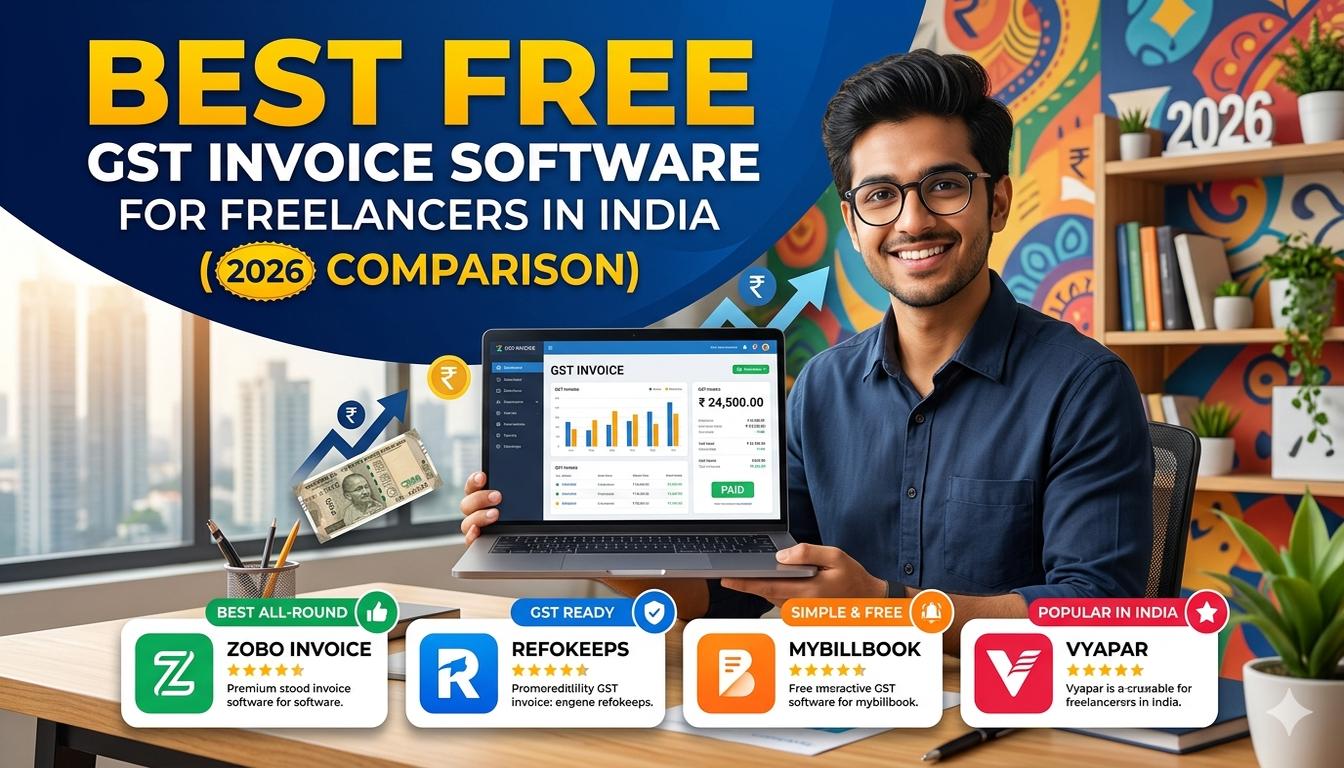
Quick Answer: FreelanceBook is India's first GST + tax tracking app built exclusively for freelancers — and it is completely free. It handles GST-compliant invoicing with SAC codes, TDS tracking, a Section 44ADA calculator, advance tax reminders, an AI Tax Assistant, recurring invoices, expense tracking, and generates GSTR-1 and ITR summary reports — all in one place. Zoho Invoice and Refrens are decent free alternatives, but neither offers built-in tax tracking. Most free tools only handle invoicing; FreelanceBook covers invoicing PLUS your entire tax compliance cycle.
Best Free GST Invoice Software for Freelancers in India (2026 Comparison)
You just finished a project for a client worth Rs 75,000. You open Google Docs, type out an invoice, manually calculate 18% GST, add CGST and SGST breakdowns, export it as a PDF, and email it. The whole process takes 40 minutes. Now imagine doing this for 15 clients every month. That is 10 hours lost to invoicing alone.
If you are a registered freelancer under GST (Goods and Services Tax), every invoice you send must include your GSTIN, proper tax breakdowns (CGST, SGST, or IGST), HSN/SAC codes, and the reverse charge indicator where applicable. Missing even one of these fields can result in ITC (Input Tax Credit) rejection for your client and compliance issues for you under the CGST Act.
The good news is that free GST invoice software handles all of this automatically. You fill in your client details and service description, and the tool generates a fully compliant invoice in seconds. But with dozens of options available — from Indian-made tools to global platforms — picking the right one can feel overwhelming.
According to the CBIC (Central Board of Indirect Taxes and Customs), over 1.4 crore GST-registered taxpayers are active in India as of 2026, and a significant number are freelancers and small service providers. Most of them need a simple, free solution that gets the job done without eating into their earnings.
In this comparison, we tested 8 popular free GST invoice tools available in India, evaluated them on features every freelancer actually needs, and ranked them honestly. Whether you are a content writer in Delhi, a web developer in Bangalore, or a consultant in Mumbai, you will find your ideal match here.
Why Do Freelancers Need GST Invoice Software?
Before jumping into the comparison, let us understand why a proper invoicing tool matters for freelancers who are registered under GST. Many freelancers start with a basic Word or Excel template, but as their client base grows, manual invoicing becomes a real bottleneck.
Manual Invoicing Is Error-Prone and Time-Consuming
When you create invoices manually, you are responsible for calculating the correct GST rate (18% for most freelance services), splitting it into CGST (9%) and SGST (9%) for intra-state supplies, or showing IGST (18%) for inter-state and export invoices. One wrong calculation, and your client's ITC claim gets flagged during reconciliation on the GSTN portal.
Here is a common mistake: a freelancer in Bangalore charges a client in Chennai. Since this is an inter-state supply, the invoice must show IGST at 18%, not CGST + SGST. But many freelancers mistakenly split it into 9% + 9%, leading to mismatched data in their GSTR-1 filing. A GST invoice tool automatically detects the supply type and applies the correct tax structure.
GST Compliance Is Not Optional
If your annual turnover exceeds Rs 20 lakh (Rs 10 lakh for special category states), GST registration is mandatory under Section 22 of the CGST Act. Once registered, every invoice you issue must comply with the rules prescribed under Section 31 of the CGST Act, which mandates specific fields like supplier GSTIN, place of supply, tax rate, and taxable value.
Common Mistake: Some freelancers register for GST but continue sending plain invoices without tax details. This is a compliance violation. Even if the client does not complain, mismatched data between your GSTR-1 and the client's GSTR-2A/GSTR-2B will eventually trigger notices from the GST department.
Professional Invoices Get You Paid Faster
Beyond compliance, a professional invoice with your branding, clear payment terms, and a payment link creates trust with clients. Studies show that freelancers who use branded invoicing tools get paid 30-40% faster than those who send plain text invoices. Clients take structured, well-designed invoices more seriously.
8 Best Free GST Invoice Software for Freelancers in India (2026)
Here is our ranked list of the best free GST invoice tools available to Indian freelancers in 2026. We evaluated each one on GST compliance features, ease of use, invoice customization, and actual value in the free plan.
| # | Tool | Best For | Free Plan Limit | GST Compliance | Our Rating |
|---|---|---|---|---|---|
| 1 | FreelanceBook | Indian freelancers who want GST invoicing + tax tracking in one app | Unlimited invoices + tax tools | Full (auto CGST/SGST/IGST + TDS + 44ADA) | 4.9/5 |
| 2 | Zoho Invoice | Freelancers who want a trusted brand with Zoho ecosystem | Unlimited invoices | Full (auto tax calculation) | 4.5/5 |
| 3 | MyBillBook | Small business owners and freelancers who need billing + inventory | 25 invoices/month | Full (GSTIN, HSN/SAC) | 4.3/5 |
| 4 | Vyapar | Freelancers and tiny businesses needing billing + accounting | Limited invoices | Full (CGST/SGST/IGST) | 4.2/5 |
| 5 | Refrens | Freelancers wanting e-invoicing and client management | Unlimited invoices | Full (tax breakdown) | 4.1/5 |
| 6 | ClearTax Invoice Generator | Quick one-off invoice creation | Unlimited | Basic (manual input) | 3.8/5 |
| 7 | RazorpayX Invoicing | Freelancers already using Razorpay for payments | Unlimited | Full (auto tax) | 3.7/5 |
| 8 | Wave Invoicing | Freelancers wanting global invoicing + basic accounting | Unlimited | Limited (no India GST auto-fill) | 3.2/5 |
Did You Know? Under the GST Act, a tax invoice must be issued within 30 days of supplying the service. For freelancers who juggle multiple clients, this deadline is easy to miss without automated tracking. Most of the tools above send automatic reminders, so you never forget to invoice on time.
Detailed Comparison: Features, Pros and Cons
Let us now break down each tool in detail so you can see exactly what you get in the free plan and where each one falls short.
1. FreelanceBook — India's First GST + Tax Tracking App for Freelancers
FreelanceBook is not just an invoicing tool — it is India's first complete GST + tax tracking app designed exclusively for freelancers. It combines invoicing, TDS management, advance tax planning, and ITR-ready reports in a single free platform. No other tool on this list covers the full tax compliance cycle for Indian freelancers.
Key features in the free plan:
- GST-compliant invoicing with SAC codes — auto-detects CGST + SGST (intra-state) or IGST (inter-state), populates your GSTIN, and includes the correct Services Accounting Code for your service type
- TDS tracking — see every TDS deduction by clients under Section 194J in one dashboard, match it with your Form 26AS, and know exactly how much refund you are owed
- Section 44ADA calculator — instantly calculate your deemed profit (50% of gross receipts) and estimated tax liability under presumptive taxation, so you know what you owe before filing ITR-4
- Advance tax reminders — never miss a quarterly advance tax due date (June 15, September 15, December 15, March 15). The app sends reminders based on your income and estimated liability
- AI Tax Assistant — ask tax questions in plain language and get accurate answers specific to your freelance situation (GST rules, ITR filing, deductions, TDS)
- Recurring invoices and expense tracking — auto-generate invoices for monthly retainers, log business expenses (internet, software, coworking), and track what you spend vs what you earn
- GSTR-1 and ITR summary report — get a ready-to-use summary of your outward supplies for GSTR-1 filing and an income summary structured for your ITR return, which you can share directly with your CA
- Professional templates with your logo, brand colors, and custom payment terms
- Multi-currency invoices for clients outside India (USD, GBP, EUR)
- Export to PDF and share via email or WhatsApp
Pros:
- Only app that covers invoicing AND tax tracking in one place for Indian freelancers
- Built-in TDS tracking and Section 44ADA calculator save hours of manual calculation
- AI Tax Assistant answers your tax queries instantly — no more Googling for hours
- Advance tax reminders prevent late payment penalties under Section 234C
- GSTR-1 and ITR summary reports make CA handoff seamless
- Completely free with no hidden charges, no client limits, no invoice caps
- Zero learning curve — the interface is clean and freelancer-friendly
- Dedicated support for Indian tax queries
Cons:
- Focused on freelancers and solo professionals — not suited for large businesses with inventory
- Full double-entry accounting is not part of the current feature set
Pro Tip: Here is a workflow that saves most freelancers 5-6 hours every month: create your invoice in FreelanceBook (auto-calculates GST), log your expenses, check your TDS tracking dashboard to see what clients have deducted, and download the GSTR-1 summary at filing time. Your CA gets a clean, pre-organized report instead of a messy spreadsheet.
2. Zoho Invoice — The Reliable All-Rounder
Zoho Invoice is part of the broader Zoho ecosystem (which includes Zoho Books, Zoho CRM, and more). It has been available in India for years and is widely used by freelancers and small businesses alike.
Key features in the free plan:
- Unlimited invoices for up to 5 customers
- GST-compliant with auto tax calculation
- Customizable invoice templates
- Time tracking for hourly billing
- Multi-language and multi-currency support
- Client portal for online payment
Pros:
- Strong brand reputation and reliable uptime
- Integrates with 10+ payment gateways including Razorpay and CCAvenue
- Good mobile app for Android and iOS
- Expense tracking module
Cons:
- Free plan is limited to 5 clients — once you grow beyond that, you must upgrade
- The interface has a learning curve because of the many features
- Customer support for the free plan is email-only with slower response times
- Advanced features like multi-user access require a paid subscription
3. MyBillBook — Simple Billing for Small Businesses
MyBillBook is a popular billing and accounting tool from the makers of Tally. It targets small businesses, Kirana stores, and freelancers who need basic invoicing with GST compliance.
Key features in the free plan:
- Up to 25 invoices per month
- GST auto-calculation with CGST/SGST/IGST support
- Inventory management for product-based freelancers
- Basic expense tracking
- Share invoices via WhatsApp directly
Pros:
- Very easy to set up and use
- WhatsApp integration is useful for Indian freelancers who communicate on the platform
- Supports both product and service invoices
- Available in Hindi and regional languages
Cons:
- 25 invoice limit per month is tight for active freelancers
- Templates are basic and not very customizable
- Customer support is limited on the free tier
- Reports and analytics are restricted in the free plan
4. Vyapar — Billing Meets Accounting
Vyapar is an Indian-made tool that combines invoicing with basic accounting features. It is popular among small traders and freelancers who want invoicing plus some financial tracking in one place.
Key features in the free plan:
- GST invoicing with all mandatory fields
- Basic accounting (profit/loss, cash flow)
- Inventory management
- Delivery challan and estimate creation
- Desktop and mobile app
Pros:
- Works offline on desktop — great for freelancers with unstable internet
- Includes accounting features that go beyond invoicing
- Good customer support even on the free tier
- Supports estimate-to-invoice conversion
Cons:
- The free plan has limitations on the number of invoices
- Desktop-only features may not sync with the mobile app in real time
- Interface feels dated compared to modern web tools
- GST return filing is not directly integrated
5. Refrens — Free Invoicing with E-Invoicing Support
Refrens is a growing Indian platform focused on creating and sharing professional invoices, quotations, and purchase orders. It also supports e-invoicing which is relevant for freelancers with turnover exceeding Rs 5 crore.
Key features in the free plan:
- Unlimited invoices and quotations
- GST-compliant tax calculations
- E-invoicing support for eligible taxpayers
- Client management and invoice tracking
- Multiple template designs
Pros:
- Completely free for unlimited invoices
- E-invoicing feature is useful for higher-turnover freelancers
- Clean, modern interface
- Good template variety
Cons:
- Limited payment gateway integrations
- No built-in accounting or expense tracking
- Customer support response can be slow on the free plan
- Recurring invoice feature is limited
6. ClearTax Invoice Generator — Quick and Basic
ClearTax, one of India's most trusted tax filing platforms, offers a free invoice generator. It is a simple, no-frills tool for creating GST invoices quickly.
Key features:
- Free GST invoice creation
- Auto-populates some fields from your GSTIN
- Basic but compliant invoice format
- No registration required for one-off invoices
Pros:
- Backed by ClearTax's credibility in the Indian tax space
- No account creation needed for basic use
- Quick and simple for occasional invoicing needs
Cons:
- Not a full invoicing platform — it is a generator, not a management tool
- No client database or invoice tracking
- Limited customization of templates
- You must enter all details manually each time
- No recurring invoices, reminders, or payment tracking
7. RazorpayX Invoicing — Best for Razorpay Users
RazorpayX is Razorpay's business banking and payments platform. Its invoicing feature is free and works best if you already use Razorpay to collect payments from clients.
Key features:
- GST-compliant invoices
- Integrated payment collection via Razorpay
- Auto-reconciliation of invoices with payments
- UPI payment link on every invoice
Pros:
- Seamless payment collection directly from the invoice
- Auto-reconciliation saves reconciliation time
- Trusted brand with strong security
Cons:
- You need a Razorpay account to fully benefit
- Invoicing features are basic compared to dedicated tools
- Limited customization options
- Not designed specifically for freelancers — more suited to businesses
8. Wave Invoicing — Global Tool with Limited India GST Support
Wave is a well-known global invoicing and accounting tool. It is free and has a polished interface, but it was not built with Indian GST requirements in mind.
Key features:
- Unlimited invoices
- Basic accounting features
- Recurring invoices
- Multi-currency support
- Professional templates
Pros:
- Beautiful, modern interface
- Good accounting module for basic bookkeeping
- Free with no client limits
Cons:
- No auto-calculation for Indian GST rates (CGST, SGST, IGST)
- No GSTIN field by default — you must add custom fields
- Customer support is email-only and based in North America (time zone issues)
- Does not integrate with Indian payment gateways like Razorpay or UPI
- No support for HSN/SAC codes or reverse charge
- Not recommended for India-specific compliance needs
Pro Tip: If you work with international clients and Indian clients simultaneously, consider using FreelanceBook or Zoho Invoice. Both tools handle multi-currency invoices AND Indian GST compliance in the same platform. A tool like Wave will require you to maintain separate invoicing systems for different client types, which creates unnecessary complexity.
FreelanceBook: Why It Ranks #1 for Indian Freelancers
We ranked FreelanceBook as the top choice, and here is a detailed breakdown of why no other tool on this list comes close for Indian freelancers.
Only App That Covers GST Invoicing + Tax Tracking in One Place
Every other tool on this list is primarily an invoicing app. Some added basic expense tracking or accounting as extras. But FreelanceBook is the only platform that covers your entire tax compliance cycle — from creating a GST-compliant invoice to tracking TDS, calculating advance tax, and generating ITR-ready reports.
Here is what a typical freelancer's month looks like with FreelanceBook:
- Create invoices — GST auto-calculated, SAC codes pre-filled, client GSTIN auto-populated
- Track TDS — See every deduction by clients under Section 194J in a single dashboard
- Log expenses — Record internet, software subscriptions, coworking costs
- Check advance tax — App reminds you of the next due date and shows estimated amount
- Ask the AI Tax Assistant — Get instant answers to tax questions without leaving the app
- Download reports — GSTR-1 summary and ITR summary ready for your CA
No other free tool on this list can do all of this. With Zoho Invoice, you get invoicing but no TDS tracking. With ClearTax, you get an invoice generator but no expense management. With Vyapar, you get invoicing and accounting but no advance tax reminders. FreelanceBook puts it all together.
TDS Tracking: A Feature Every Indian Freelancer Needs
If your clients deduct TDS under Section 194J (fees for professional or technical services), you already know the pain of tracking those deductions manually. Different clients deduct at different rates, some deduct late, and matching everything with your Form 26AS and Annual Information Statement (AIS) before filing ITR feels like solving a puzzle.
FreelanceBook's TDS tracking feature shows you:
- Every TDS deduction by every client in one clean dashboard
- Total TDS deducted vs total TDS reflected in Form 26AS
- Mismatch alerts if a client forgot to deposit your TDS
- Estimated refund amount based on your total income and TDS already deducted
This alone saves hours during tax season.
Section 44ADA Calculator: Know Your Tax Before Filing
Most freelancers using presumptive taxation under Section 44ADA need to calculate 50% of their gross receipts as deemed profit. But then you also need to subtract Section 80C (up to Rs 1,50,000), Section 80D (health insurance), and other deductions to arrive at your final taxable income.
FreelanceBook's built-in Section 44ADA calculator does this in seconds:
- Enter your gross receipts from all clients
- App calculates deemed profit at 50%
- Subtract applicable deductions
- Shows estimated tax under both old and new regime
- You know exactly what you owe before your CA even starts working
Advance Tax Reminders: Avoid Penalties Under Section 234C
If your tax liability for the year exceeds Rs 10,000, you are required to pay advance tax in quarterly installments. The due dates are June 15 (15%), September 15 (45%), December 15 (75%), and March 15 (100%) of the financial year. Missing these dates attracts interest under Section 234C of the Income Tax Act.
FreelanceBook sends timely reminders based on your income data, so you never miss a deadline. The app also estimates how much you need to pay in each installment, taking the guesswork out of advance tax planning.
AI Tax Assistant: Your Personal Tax Expert
Freelancers have a lot of questions — "Should I register for GST?", "What SAC code applies to content writing?", "Can I claim my laptop as a business expense?", "Is TDS deducted at 10% or 20%?" — and Googling each one takes time and often leads to confusing or outdated answers.
FreelanceBook's AI Tax Assistant lets you ask these questions in plain language and get accurate, India-specific answers instantly. It is trained on Indian tax laws, GST rules, and common freelancer scenarios, so the responses are relevant and actionable.
GSTR-1 and ITR Summary Reports: CA-Ready Output
At the end of every quarter or financial year, freelancers need two critical documents:
- GSTR-1 summary — total outward supplies, taxable value, and tax collected for GST return filing
- ITR summary — total income, expenses, TDS deducted, advance tax paid, and estimated tax liability for income tax filing
FreelanceBook generates both reports with one click. You can download them as PDF or share them directly with your Chartered Accountant. Your CA saves time, you save money, and there are fewer chances of errors in your returns.
Completely Free — No Gimmicks
Many tools advertise themselves as "free" but put critical features behind a paywall — limited invoices, restricted client lists, or disabled reports. FreelanceBook is genuinely free for all features listed above. There is no limit on the number of invoices, no cap on clients, no disabled reports, and no "upgrade to unlock" nudges for core functionality.
Designed Around Indian Payment Habits
Indian freelancers receive payments through UPI, NEFT, IMPS, and international wire transfers. FreelanceBook lets you add all these payment methods to your invoice, with pre-filled UPI IDs and bank account details. You can also add payment links that let clients pay instantly.
What Makes a Good GST Invoice Software for Freelancers?
With so many options available, it helps to know what criteria actually matter. Here is what every freelancer should evaluate before choosing a tool.
Must-Have Features for GST Compliance
These are non-negotiable. If a tool does not support all of these, it is not suitable for a GST-registered freelancer in India:
- GSTIN auto-population: Your 15-digit GST Identification Number should appear on every invoice without manual entry
- Automatic tax calculation: The tool must split tax into CGST (9%) + SGST (9%) for intra-state supplies and IGST (18%) for inter-state supplies
- HSN/SAC code support: Every service needs a valid Services Accounting Code (SAC) as mandated by the CGST Act
- Place of supply detection: Important for inter-state and export invoices to determine the applicable tax
- Reverse charge mechanism toggle: Some services attract reverse charge under Section 9(3) of the CGST Act, and the invoice must indicate this
- Taxable value and tax amount breakdown: Clear separation of the base amount, tax rate, and total amount
Features That Improve Your Workflow
Beyond compliance, these features make your life as a freelancer significantly easier:
- Client database: Save client details (name, GSTIN, address) and reuse them across invoices
- Recurring invoices: Auto-generate invoices for monthly retainers without manual effort
- Payment tracking: Know which invoices are paid, pending, or overdue without maintaining a separate spreadsheet
- Payment reminders: Automatic email reminders when invoices are approaching or past the due date
- Multi-currency support: Essential if you have clients in the US, UK, or other countries who pay in foreign currency
- Custom templates: Add your logo, brand colors, and custom fields to create a professional impression
Features That Are Nice to Have but Not Essential
These are useful but not deal-breakers for most freelancers:
- Built-in accounting (profit/loss, balance sheet)
- Inventory management
- Time tracking
- Integration with Tally or other accounting software
- Expense tracking and receipt scanning
- Project management features
Pro Tip: Do not overcomplicate your tool selection. If you are a freelancer (not a business owner with inventory), you need GST-compliant invoicing PLUS tax tracking — not a full ERP system. FreelanceBook covers both in one app, completely free. The built-in TDS tracking, Section 44ADA calculator, and advance tax reminders alone make it the most complete free option for Indian freelancers.
Free vs Paid Plans: What Do You Actually Get?
Most invoicing tools use a freemium model. Here is an honest comparison of what the free tier gives you versus what you would get by paying.
| Feature | Free Plans (Most Tools) | Paid Plans (Rs 500-2,000/month) |
|---|---|---|
| Number of invoices | 5-25/month (varies by tool) | Unlimited |
| Client limit | 5-50 clients | Unlimited |
| GST compliance | Full in most tools | Full + automated GST return filing |
| Custom branding | Basic logo placement | Full brand customization |
| Payment reminders | Limited or manual | Automated with custom schedules |
| Multi-user access | Usually single user | Multiple team members |
| Priority support | Email only | Chat + phone support |
| Reports and analytics | Basic summaries | Detailed financial reports |
| API access | Not available | Available for integrations |
Is Paying Worth It for a Freelancer?
For most freelancers earning up to Rs 15-20 lakh per year, a free tool covers 90% of their needs. You only need to consider a paid plan if:
- You have more than 50 active clients and the free plan limits are blocking you
- You want automated GST return filing integrated with your invoicing
- You need multi-user access (like a CA or accountant who manages your books)
- You want advanced analytics and financial reporting
Did You Know? The GST return filing deadline for GSTR-1 is the 11th of the following month (for most taxpayers), and GSTR-3B is due by the 20th. Some paid tools auto-generate these returns from your invoice data, saving your CA time and reducing errors. If you are currently paying a CA Rs 2,000-5,000 per month for return preparation, a tool that automates part of this work could pay for itself.
How to Choose the Right GST Invoice Tool for Your Freelance Business
With all the options above, here is a simple decision framework to help you pick the right tool based on your specific situation.
If You Are a New Freelancer Just Starting Out
Choose FreelanceBook. You want something that handles GST invoicing correctly AND helps you with tax tracking from day one. FreelanceBook's free plan includes invoicing, TDS tracking, advance tax reminders, and an AI Tax Assistant — so even if you are new to taxes, the app guides you through everything. ClearTax Invoice Generator is fine if you only need a one-off invoice, but it lacks ongoing tax management features.
If You Have 5-20 Active Clients
FreelanceBook is the clear winner here. With multiple clients, you need TDS tracking (each client may deduct at different rates), expense management, and ITR-ready reports. FreelanceBook handles all of this in one place, free. Refrens is a decent alternative if you specifically need e-invoicing support for higher turnover.
If You Use the Zoho Ecosystem (CRM, Mail, etc.)
Choose Zoho Invoice. The free plan works for up to 5 clients, and the seamless integration with other Zoho apps is a real productivity booster. Just be aware of the 5-client limit — if you grow beyond that, the paid plans start at around Rs 749/month.
If You Also Need Basic Accounting
Choose Vyapar or MyBillBook. Both combine invoicing with basic bookkeeping features. Vyapar is better for desktop users who want offline access. MyBillBook has a simpler interface but limits free invoices to 25 per month.
If You Have International Clients AND Indian Clients
Choose FreelanceBook. It handles multi-currency invoices for international clients AND full Indian GST compliance (CGST/SGST/IGST) for domestic clients in the same platform. Plus, the TDS tracking and advance tax reminders work regardless of where your clients are based.
Pro Tip: Whichever tool you pick, create your first invoice within an hour of signing up. Do not spend weeks "researching" the perfect tool — every tool on this list gets the job done. The real value is in using it consistently, not in finding the one with the most features.
GST Invoice Rules Every Freelancer Must Follow in 2026
Even with the best software, it helps to understand the actual rules. Here are the key GST invoicing requirements that your tool must comply with, as per the CGST Act and Rules.
Mandatory Fields on a GST Invoice
Under Rule 46 of the CGST Rules, 2017, every tax invoice must contain:
- Name, address, and GSTIN of the supplier
- Name and address of the recipient (and GSTIN if registered)
- Invoice number and date (sequential, no gaps)
- Description of goods or services
- HSN/SAC code for the service
- Total value of supply (before tax)
- Taxable value (after discounts, if any)
- GST rate and the tax amount (CGST, SGST, or IGST)
- Place of supply (important for inter-state transactions)
- Signature or digital signature of the supplier
When Should You Issue an Invoice?
- For services: Within 30 days of providing the service (under Section 31)
- For exports: Before or at the time of removal of goods or provision of service
- For reverse charge: The invoice must clearly mention "Tax payable under reverse charge"
Special Cases Freelancers Should Know About
Export of services: If your client is outside India, the invoice must mention the country of the recipient, the place of supply, and the applicable GST treatment. Under certain conditions, exports are treated as zero-rated supplies under Section 2(102) of the IGST Act.
Small invoices: If the value of your invoice is less than Rs 200, you do not need to issue a full tax invoice. A simplified bill of supply is sufficient.
Revised invoices: If you need to correct a mistake in an already-issued invoice, you can issue a credit note or debit note. Your invoicing tool should support this feature.
Common Mistake: Many freelancers forget to update their GSTIN if they have migrated from one state to another or if their business structure has changed. Always verify that your GSTIN on the invoice matches the current registration details on the GST portal (gst.gov.in). A mismatched GSTIN can lead to your invoices being rejected by the client's accounts team.
Common Mistakes When Using Free Invoice Software
Even the best tool cannot save you from these common pitfalls. Keep an eye out for these mistakes that Indian freelancers make every day.
Using the Wrong Tax Rate
Most freelance services attract 18% GST. But some services like educational content, consulting for certain government bodies, or services in special category states may have different rates. Always verify the applicable rate for your specific service before setting it as default in your invoicing tool.
Not Sending Invoices on Time
Under GST rules, you must issue the invoice within 30 days of providing the service. Delayed invoicing can cause problems with your GSTR-1 filing timeline and may result in interest liability if the tax is paid after the due date.
Not Reconciling Invoices with GST Returns
The invoices you create must match the data you file in GSTR-1 (outward supplies). If there is a discrepancy between your invoices and your return data, the client will see a mismatch in their GSTR-2B, which can delay their ITC claim and strain the client relationship.
Ignoring Payment Follow-Ups
Creating the invoice is only half the battle. You must track whether the client has paid and send reminders when invoices are overdue. Tools like FreelanceBook and Zoho Invoice automate this, but you still need to set up the reminder schedule and follow through.
Not Backing Up Invoice Data
Free tools can change their policies, shut down, or experience data loss. Always export your invoice data periodically (monthly or quarterly) and keep backups. Most tools allow you to download data in CSV or PDF format.
Frequently Asked Questions
Is free GST invoice software really free, or are there hidden charges?
Yes, genuinely free GST invoice tools exist. FreelanceBook is completely free with unlimited invoices, TDS tracking, Section 44ADA calculator, advance tax reminders, and GSTR-1/ITR reports — no hidden paywalls. Refrens and ClearTax also offer free unlimited invoices but lack tax management features. Some tools like Zoho Invoice and MyBillBook have usage limits on the free plan (number of clients or invoices per month) and charge if you exceed those limits. Always check the pricing page before committing.
Do I need GST invoice software if my turnover is below Rs 20 lakh?
If your annual turnover is below Rs 20 lakh (Rs 10 lakh for special category states), GST registration is not mandatory. You can issue a simple bill without GST details. But even then, using invoicing software helps you maintain professional records, track payments, and stay organized. If you ever cross the threshold, having a GST-compliant system already in place makes the transition seamless. Plus, voluntary registration under Section 25(3) of the CGST Act allows you to claim Input Tax Credit even below the threshold.
Can I create invoices for foreign clients using free GST tools?
Yes, most free GST invoice tools like FreelanceBook and Zoho Invoice support multi-currency invoices. For foreign clients, the supply is treated as an inter-state supply under the IGST Act, and you must issue an invoice with IGST at the applicable rate. However, exports of services may qualify as zero-rated supplies if certain conditions under Section 2(102) of the IGST Act are met, meaning IGST at 0% applies. Your invoicing tool should support both scenarios.
What is the best free GST invoice app for mobile users?
FreelanceBook works seamlessly on mobile browsers and offers all its features — invoicing, TDS tracking, AI Tax Assistant — on any device. Zoho Invoice has a dedicated mobile app for Android and iOS with a polished interface. Vyapar also has a mobile app with offline capability. If you want full tax tracking on mobile, FreelanceBook's browser-based experience is the most complete option.
How do I add my GSTIN to the invoice template?
In most tools, you enter your GSTIN once in your business profile or settings page, and it auto-populates on every invoice. In FreelanceBook, go to Settings then Business Profile then enter your 15-digit GSTIN. In Zoho Invoice, navigate to Settings then Organization Details. If your tool does not have a dedicated GSTIN field, you can add it as a custom field on the template.
Can I switch from one invoice tool to another without losing data?
Most tools allow you to export your data in CSV or PDF format, which you can then import into a new tool. However, the import process is not always smooth, and you may lose some formatting or custom fields. The easiest way to switch is to export your client list and invoice history, then manually recreate recurring invoice templates in the new tool. Plan the switch between billing cycles to avoid confusion.
Is it legal to use free software for GST invoicing?
Absolutely. The CGST Act and Rules do not mandate any specific software for creating invoices. As long as your invoice contains all the mandatory fields prescribed under Rule 46 of the CGST Rules, 2017, the format and tool you use do not matter. You can create invoices on paper, in Excel, or using any software — free or paid. The key is compliance with the content requirements, not the tool itself.
Next Steps
Pick a tool from this list, sign up in 10 minutes, and create your first GST-compliant invoice today. If you want the only app that covers GST invoicing AND full tax tracking — TDS tracking, Section 44ADA calculator, advance tax reminders, AI Tax Assistant, and ITR-ready reports — all completely free, start with FreelanceBook. It is India's first app built specifically for freelancer tax compliance. If you are also navigating GST registration for the first time, our guide on how to create a GST invoice for freelancers walks you through the complete process.